
 MelGeek
 O2 for Mac
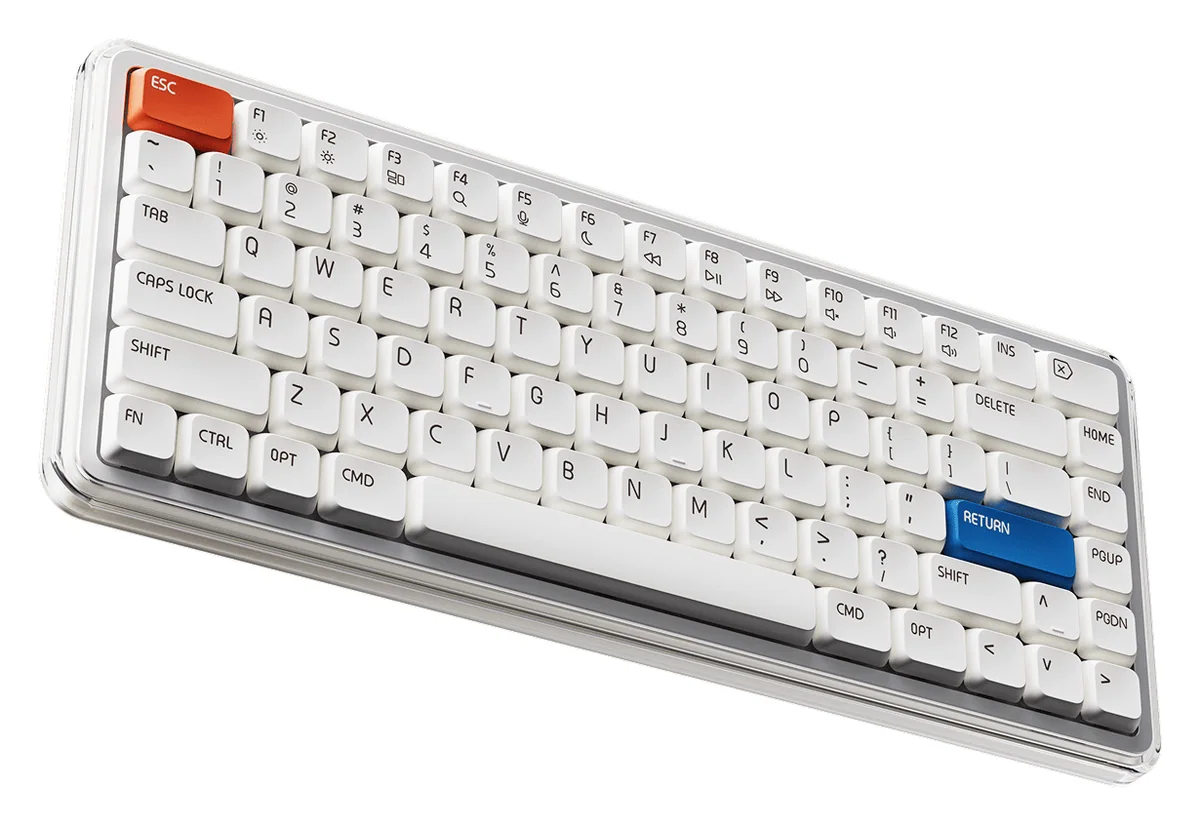
A low-profile board with Apple-style modifier legends, media shortcuts and a translucent design.
- Layout: Compact · Mac layout
- Connectivity: Bluetooth, 2.4 GHz, USB-C
- Switches: Kailh Sunshine linear
The MelGeek O2 for Mac brings Apple-style modifier labels and media controls to a compact low-profile mechanical keyboard. Its layout is the main reason to look at this configuration when moving between a MacBook and an external keyboard. The model also offers Bluetooth, a 2.4 GHz receiver and a wired connection, so you can choose how it fits with the other devices on your desk. This guide focuses on the O2 for Mac and explains the differences that matter when you are comparing it with the standard O2 or another compact board.
MelGeekA low-profile board with Apple-style modifier legends, media shortcuts and a translucent design.
The O2 for Mac puts Apple-style legends and media shortcuts at the center of its compact layout. It also gives you three ways to connect.
Choose the Mac configuration if those legends matter. Check the key positions and connection mode you plan to use before buying.
The MelGeek O2 for Mac can connect by Bluetooth, a dedicated 2.4 GHz receiver or USB-C. Bluetooth is practical for a laptop or tablet. Use the manufacturer’s pairing instructions for the connection you choose.
MelGeek offers the standard O2 and a separate O2 for Mac configuration. Choose the Mac version if you want Apple-style modifier legends and related media shortcuts. Check the product selector to confirm which version you are buying.
MelGeek describes the O2 for Mac with Kailh Sunshine linear switches. The manufacturer highlights their light linear feel and pairs them with a gasket mount. Check that the retailer explicitly identifies the Mac configuration when you choose a listing.
MelGeek states a 2,500 mAh battery capacity for the O2 for Mac. Capacity is useful when comparing specifications, but actual time between charges depends on connection mode, lighting and use.
The O2 for Mac has a compact layout without a dedicated number pad. If you regularly enter long groups of numbers, plan to use a separate keypad or choose a wider board such as the Flow Lite100.